







Member Security

Protecting your security is always our priority. If you ever believe you have been the victim of any suspected fraud on your American Heritage accounts, contact us immediately.

Update: Sharing Your Information

Scammers have been contacting American Heritage members, posing as associates of our fraud department. They have been calling and texting members, seeking to obtain card and account information to steal from your accounts.

These scammers have been “spoofing” the phone number, making it appear that they are calling or texting from a legitimate phone number from American Heritage.

Remember, you are being scammed if:

  • You receive a call with the caller saying they are from the fraud department, investigating fraudulent charges with your account. The caller will provide the first few digits of your “card,” and then ask you to supply the rest, as well as its expiration date, CVC codes, or passwords. They are trying to steal your information.
  • If you receive an immediate phone call after replying “NO” to a text message alert asking you to verify certain charges. Legitimate alerts sent by American Heritage Credit Union will NOT be followed by an immediate phone call to you.
  • The caller tells you they will be sending you a verification code that you need to supply to them. They need this code to add your card to a payment platform, such as Apple Pay.

Remember to NEVER provide account information or codes to callers!

Your security is our top priority. American Heritage Credit Union will never contact you and ask for your account number, login information, passwords, or card information. Legitimate financial institutions will never ask you for this information. If you ever receive a call asking for your personal financial information, immediately hang up and contact us at 215.969.0777. We also encourage you to set up eAlerts and Card Controls through Online Teller to better protect your information and receive notifications of your transactions.

Examples of Fraudulent Activity


Online Support

Social Engineering

Scammers use social media to solicit victims and crack into their accounts. Victims are typically targeted when they respond to social media posts or messages preying upon those in need, promising payouts or get-rich-quick schemes. When victims provide their online banking username, password, ATM card, or PIN, fraudsters log into their account. They then deposit fraudulent checks, then use the ATM card to withdraw the funds as they become available. The checks are subsequently returned and the account is negative, leaving victims on the hook for potential damages..


Server

Data Breach

A data breach is an incident in which sensitive, protected, or confidential data has potentially been viewed, stolen, or used by an individual unauthorized to do so.

Data breaches may involve personal health information (PHI), personally identifiable information (PII), trade secrets or intellectual property. The most common concept of a data breach is an attacker hacking into a corporate network to steal sensitive data.


Desktop Warning

Ransomware

Ransomeware is the technique of using a computer virus to hold data hostage. At its heart, ransomware mimics the age-old crime of kidnapping: someone takes something you value, and in order to try to get it back, you have to pay up. For it to work, computers need to be infected with a virus, which is usually accomplished by tricking someone into clicking on a link. Once users click on the link or attachment, the ransomware encrypts the computer's hard drive, locking people out of all computer files. A screen will appear, threatening to destroy the files unless a ransom is paid.

Pineapple Divider

Helpful Tips

In hopes to prevent the above attacks, please be mindful of the following:

  • Do not click a link from someone you do not know.
  • Keep the anti-virus software up-to-date.
  • Add "eAlerts" to stay up to date with all activities to your American Heritage accounts.
  • Do not download attachments in emails from someone you do not know.
  • Do not give out your personal information (bank account, social security number) to people you don’t know.
  • Never share your debit card information or PIN with anyone.
  • Don't deposit funds from an unknown source into your account.
  • Never involve yourself in a criminal scheme in any way. It is illegal to defraud a financial institution.
  • Also as the saying goes, if it’s too good to be true, it probably is.
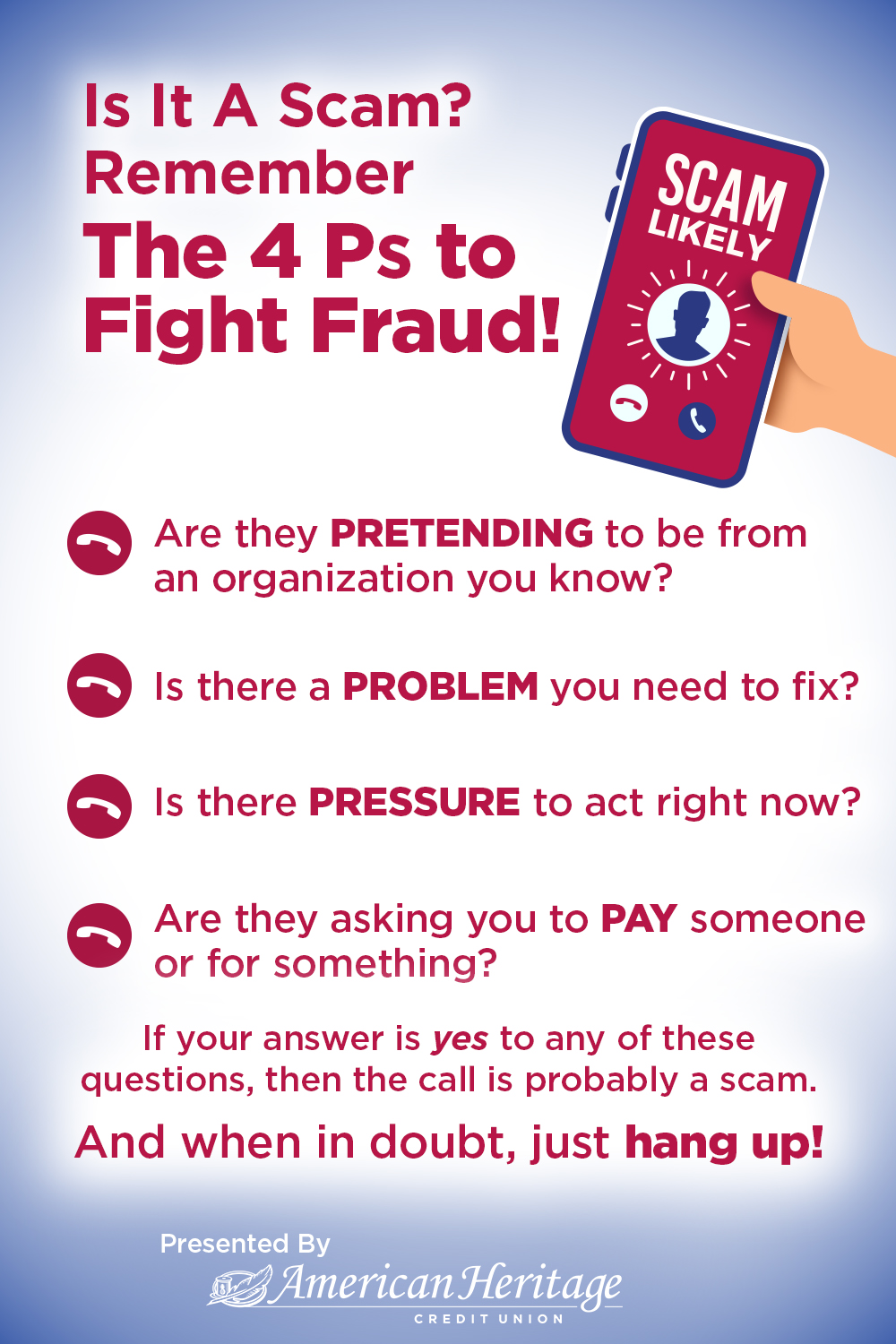
Four Ps to Fight Fraud
Pineapple Divider

"Phantom Hacker" Scam

The Federal Bureau of Investigation (FBI) has issued a warning about a sophisticated multi-phase scam known as the “Phantom Hacker.” It is a multi-layered fraud where scammers impersonate tech support, bank officials, and even government agents to convince victims they have been hacked. The fraudsters use high-pressure tactics and a fabricated sense of urgency to trick victims into transferring their savings to a supposed "safe" account, which is actually controlled by the criminals.  

The FBI stated in a news release that victims often lose their entire banking, savings, retirement, or investment accounts under the pretense of ‘protecting' their assets. The scammers exploit the personal interests of the victims, usually obtained from their social media posts. Since 2024, this scam has been used to siphon off over $1 billion in funds, with the majority of victims being at least 60 years old, as per FBI data. The scam involves complex operations that include multiple impersonators, spoofed phone numbers, and coordinated follow-ups.
 
The FBI’s warning about the “Phantom Hacker” scam underscores the growing threat of cybercrime in the United States. The fact that the scam targets older individuals, who may be less tech-savvy, further underscores the need for increased vigilance and cybersecurity education among this demographic.
 
How the scam works
The Phantom Hacker scam typically unfolds in three main phases: 
  • Phase 1: The fake tech support. The victim receives an unsolicited pop-up, text, or phone call claiming there is an issue with their computer, sometimes citing a major company like Microsoft. The victim is directed to call a number where a scammer convinces them to download remote access software. The scammer then pretends to scan the computer for a virus and asks the victim to log into their bank accounts to check for fraudulent charges, allowing the scammer to identify which account to target.
  • Phase 2: The fake bank representative. The victim receives a call from someone impersonating a bank representative. The fraudster claims a foreign hacker has accessed the victim's accounts and pressures them to transfer their funds to a "safe" third-party account. The scammer insists the victim not inform anyone, including family members, to maintain secrecy.
  • Phase 3: The fake government agent. To add legitimacy, a scammer may pose as an official from a government agency, like the Federal Reserve. They may send official-looking letters to emphasize that the victim's money is unsafe and must be moved immediately. 
Red flags to watch for
You can identify a potential scam by watching for these signs: 
  • Scare tactics and urgency: Scammers create pressure to make victims act quickly without thinking. No legitimate institution will force you to act instantly on a financial issue.
  • Requests for secrecy: A legitimate bank or government agency will not tell you to keep a situation secret from your family.
  • Unusual payment methods: The U.S. government will never ask you to send money via wire transfer to a foreign account, cryptocurrency, or gift cards.
  • Remote access requests: Never grant an unknown individual control of your computer or device. 
How to protect yourself
  • Verify the source: If you receive an unsolicited call about a problem with your account, hang up. Use a phone number from an official website or a bank statement to call the institution back directly.
  • Don't click on links: Avoid clicking links or downloading attachments from suspicious or unsolicited emails and texts.
  • Maintain strong security practices: Use strong, unique passwords and two-factor authentication for your accounts. Keep your security software updated and back up your data.
  • Talk to someone you trust: If you feel pressured or uncertain about a situation, discuss it with a trusted family member or friend. 
What to do if you are targeted
  • Immediately disconnect: If you are on the phone with a potential scammer, hang up immediately and turn off your computer.
  • Contact your bank: Alert your bank or financial institution's fraud department. Ask them to stop any pending transactions.
  • Run a malware scan: Scan your computer with trusted antivirus software to remove any malicious programs the scammer might have installed.
  • Change your passwords: Change the passwords for your bank accounts and any other sensitive accounts.
  • Report the scam: File a report with the FBI's Internet Crime Complaint Center (IC3) at ic3.gov and include as much information as possible.

Security FAQ

What are Spoof Websites? What does "spoofing" mean?

The safest method to ensure that you are on an authentic website is to check the website address every time you use it. Be diligent and cautious in providing personal information such as Social Security number, credit or debit card information, or account numbers.  If you receive an email asking for this information, or if you are directed to a website that asks for this, you are likely the recipient of a phishing scam and perhaps being directed to a spoof website. American Heritage uses multi-factor authentication to protect our members as well. 

If you believe that you have visited a spoof website, or have received a phishing email, please call our Contact Center immediately at 215.969.0777. Remember, American Heritage will never ask for your password. 

Spoofing

If you receive a call that appears to be from American Heritage, and the caller asks for your social security number, PIN or passwords, please do not provide any information. Make note of the number, disconnect the call and report the call to us at 215.969.0777. For texts, do not reply. American Heritage will NEVER call and ask you for a PIN or password.

Spoofing is a scam designed to deliberately falsify the information transmitted to your caller ID display in an effort to disguise the caller’s true identity. Spoofing scammers often use a caller ID that appears to be from your bank or credit union. In some instances, scammers also spoof a number from a local government agency. If this call or text is answered, the scammer will create a false story that the call recipient’s card is being used, and then will ask for personal information that can be used to steal funds or to conduct other fraudulent activity. Once again, American Heritage will never call to ask for your Online Teller/Mobile Teller account ID and password, Account Number, Social Security Number, or Credit/Debit Card PIN.

A spoof website is designed by fraudsters and claims to be the legitimate website of an organization. In the case of credit unions or banks, they appear to be identical and are designed to capture, and steal, online banking login information. The domain or website address is often similar. At American Heritage, our domains are AmericanHeritageCU.orgAMHFCU.orgAHCU.co, or onlineteller.amhfcu.org. Fraudsters often use phishing emails to drive members or non-members to spoof websites as well. By providing a fake password, they can then send the unsuspecting website user to a page that shows a false inflated balance.

How do I set up Instant Account Alerts to monitor my account?

We always encourage our members to set up eAlerts to help monitor accounts for activity. Not only does this help manage your daily finances, but eAlerts can also help detect fraudulent activity.  The eAlerts are text or email messages sent to your phone, mobile or desktop device that let you know important information such as debit card activity, direct deposit received, low balance in your account, and more. To sign up for eAlerts, login to Online Teller and click on the eAlerts Tab or log in to your Mobile Teller App, click Member Service > eAlerts.

How do I use Card Controls to manage my cards?

If you have a credit or debit card with American Heritage, we offer a valuable privacy benefit in our Card Controls. This safety feature allows you to activate a debit card, submit a travel notification, manage overdraft privilege, deactivate a lost or stolen card, change authorization limits and much more. To set up Card Controls, login to your Mobile Teller app, click on Card Services in your menu, and then you will be prompted to deactivate a lost or stolen card, change an authorization limit, and more.

I think I found a fraudulent charge on my debit or credit card. How can I file a dispute?

Members can dispute debit and credit card transactions through their Online Teller account. This self-service feature is available under the Card Services tab on the top banner of your Online Teller account page.

If you do not have an Online Teller account, please call our Contact Center at 215.969.0777.

What is Falcon Fraud Protection? How does it verify my purchases?

American Heritage is committed to ensuring the safety of your financial information. American Heritage has a Falcon Fraud Protection system that automatically analyzes all debit and credit card transactions. If any activity occurs that is unusual or suspicious in your account, Falcon Fraud may detect it and you will receive a phone call to confirm if the transaction is legitimate or fraudulent.

You may contact Falcon directly: 855.961.1602.

If you at any time receive a message by phone or email that identifies itself as a fraud protection company and the company’s phone number does not match 855.961.1602, this could be a scam - contact American Heritage immediately! Falcon Fraud Protection is one more way that American Heritage protects you against fraud and identity theft.

What types of Online Security protect my account?

Your online experience with American Heritage is always secure with Multi-Factor Authentication protecting your privacy. By asking you, in a one-time enrollment process, for a user name, password and answers to challenge questions that no one else would know, American Heritage is able to verify that you are who you say you are. Then, if we ever detect any uncharacteristic or unusual activity involving your account, we may ask for identity verification using your challenge questions before allowing the user to continue.

Multi-Factor Authentication also allows you to know that you are using the real American Heritage Online Teller, and not a spoofed site. During your initial login to Online Teller, you will select an image - known as an eStamp - which will be displayed each time you log on. You will also select an eStamp phrase that will be displayed when the eStamp image appears. Since you select the image and phrase during enrollment, you can be assured each time you log in that you are on American Heritage's site and not a fraudulent look alike website.

For an added level of security, American Heritage Credit Union's website is secured by VeriSign, the leading secure sockets layer (SSL) Certificate Authority enabling secure e-commerce and confidential communications for websites, intranets, and extranets. The VeriSign logo will always appear on our website, online applications, Online Teller and OnLine Bill Payer to assure that you are protected. Also, when you visit our website a lock will be displayed on the bottom of your screen indicating that the site is secured. It is also extremely important to keep your password private and to never allow your computer to save your Online Teller password. Always exit Online Teller properly by using the End Session command.

Cookies

To use Online Teller, "cookies" must be enabled on your browser. Cookies are security tracking devices designed to alert you to previous activity on your account. Since all browsers' default settings enable cookies, you are most likely ready to log on to Online Teller. If you have previously disabled cookies, you must set this feature to "ON" before you begin.

Menus

Online Teller is designed to be as user-friendly as possible. On-screen prompts will guide you every step of the way. To ensure accuracy, you will be asked to verify every transaction before it is posted to your account.

Real Time

Feature Online Teller gives you access to your actual, real-time account information. The transactions you perform will be posted instantly, provided there are no holds on the funds.

Time Out Feature

Online Teller will automatically "time-out" after two minutes of screen inactivity. This will prevent others from accessing your personal information if you inadvertently leave your computer while you are logged on to Online Teller. Access your account with confidence, knowing that the American Heritage Online Teller is convenient, secure, and best of all, completely free. You'll enjoy a new level of financial flexibility and control. Visit your local branch or contact us today and visit as often as you like for secure account access.

Email

Be cautious when using email to send us communications that contain confidential information. Emails are not sent in a secure form, may not be immediately received by the appropriate team member at American Heritage, and potentially can be intercepted by third parties. We recommend that you refrain from including sensitive personal information such as social security or account numbers in an email.

Pineapple Divider

Important Security Update to Prevent Account Aggregator Fraud

Account aggregator services are an easy way for consumers to connect all of their various financial relationships. However, account aggregation can also lead to account fraud. In order to protect the security of our members,  American Heritage has turned on Multi-factor Authentication (MFA) when using an account aggregator service due to the recent uptick in fraudulent transactions using stolen credentials within aggregator services. This will affect members using services like Quicken, TurboTax, PayPal, etc., as well as other credit unions or banks that might connect to your American Heritage account. 

When you connect to American Heritage via a service that uses an aggregator, you will be asked to complete a security verification in order to proceed. You may not be asked to verify your identity every time, but you may be asked again in the future. While this may seem like a small change, protecting our members' security is always our biggest priority.

You may be familiar with MFA, as your online experience with American Heritage is always secure with our MFA protecting your privacy. By asking you, in a one-time enrollment process, for a user name, password and answers to challenge questions that no one else would know, American Heritage is able to verify that you are who you say you are.

Stay Informed With Our Blog

The Best Way to Carry and Keep Cash
By: American Heritage11.30.23
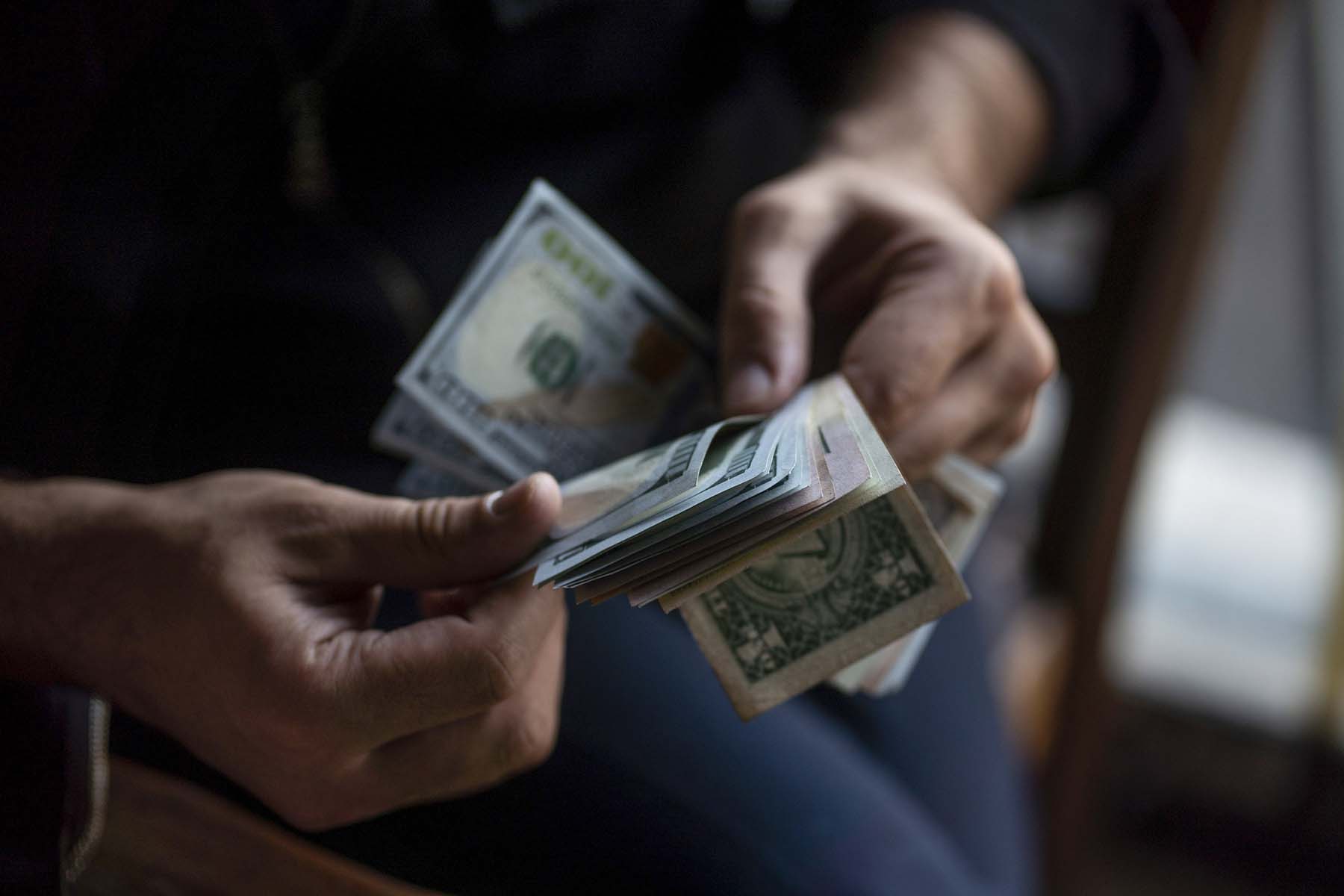
Closeup of person's hands counting cash

Do people still carry cash? The answer is a resounding YES. While most transactions can be handled with your digital wallet, credit card, or debit card, cash is still useful, especially in an emergency, when digital or card payment options might not be available. As with most things in life, it’s smart to be prepared. Let’s look at how much cash you should have on hand and how to keep it safe.


Reasons to Keep Some Cash at Home

While you don’t want to keep all your savings stashed at home, having some available cash is a good idea. In the event of an emergency, such as a natural disaster, you may not be able to get to an ATM, banking systems could be down, or you might not be able to use apps like Venmo or Zelle. You'll need to use cash! You can use the money you put away to buy emergency supplies, gas, medicine, food, or other necessities.

In addition to cash, your emergency stash should also include survival supplies like extra water and canned food, flashlights, first-aid kits, batteries, and a battery-powered radio. If you don’t have these, now is a good time to get them.


How Much Cash Should You Keep at Home?

The answer to this question depends on the size of your family and your daily expenses. However, experts recommend keeping a cash reserve of no more than $1,000 at home. Having some cash on hand can give you peace of mind, but too much could be a financial mistake. You’ll miss out on the opportunity to earn interest from money placed safely in a federally insured account.

Don’t use big denominations like $100 or $50 bills for your cash emergency fund. Stores may not be able to make change—especially for a small purchase—if you use a $50 or $100 bill. You’re more likely to be able to spend your cash and get change with denominations of $20, $10, $5, and $1 bills.


What About in Your Wallet?

We’ve covered how much cash to keep at home. Now, let’s look at how much you should carry. It’s a good idea to keep at least a day’s worth of expenses in cash. In this instance, experts recommend $100. Of course, this can vary depending on your day-to-day spending habits.

While cash can be convenient, keep in mind that a credit or debit card is more secure than walking around with a wad of bills in your pocket or purse. That being said, some businesses, like food trucks and smaller restaurants, may accept only cash or may not accept certain cards. Having cash lets you broaden your options and help local businesses, too.

Even though you’re carrying cash, you might not want to use it for all your daily shopping. You can miss out on perks and rewards that you can get with a credit card, such as cash back or rewards on certain purchases.


What Are Some Risks of Keeping Cash?

Unlike credit or debit cards, which can be canceled in the event of theft, if cash is stolen, it’s practically impossible to recover. Cash can also get torn or damaged. Have you ever accidentally left money in your pocket on laundry day? Most bills won’t disintegrate in the washer and dryer, but hot water can ruin security features and detergent can change the way cash reflects light, which currency-sorting machines detect.

Also, as mentioned earlier, cash kept at home won’t earn interest. It’s also not protected by the government the way savings or checking accounts are.


Where Should You Keep Your Cash at Home?

Cash should be kept in a fireproof and waterproof safe, which can protect your money and other valuables from fire, flood, or other damage. Make sure, too, the safe is bolted down so it can’t be carried away in a burglary. You don’t want to be the target of theft, so don’t share information about your stash with people who don’t need to know about it.

It’s also smart to plan. Be sure family members have access to the cash in case you become ill or incapacitated. You’ll also want to include the information in estate planning documents.


Emergency Fund

When you’re putting a little cash away for emergencies, don’t ignore your larger emergency fund, which should be set up at your financial institution. You can tap this account to pay for unexpected car repairs, medical bills, or other emergencies. Experts recommend putting away enough money to cover 3 to 6 months of living expenses.

You have a few choices when creating your emergency fund: You can choose a traditional or high-yield savings account, a money market account, or even invest in a money market fund. Not sure which is right for you? Our associates can answer your questions and help you get started so you can protect your future and keep your money safe.